Agency signup page

What an estate agency sees when it connects its WhatsApp to Volando. Step 2 is Meta's own pop-up, which we don't control. Example details are made up. Click a picture to see it full size.

Open the page itselfIt's locked, as it will be until Meta approves, so the button does nothing yet. Built 20 Oct 2026 from bot/onboard.html.
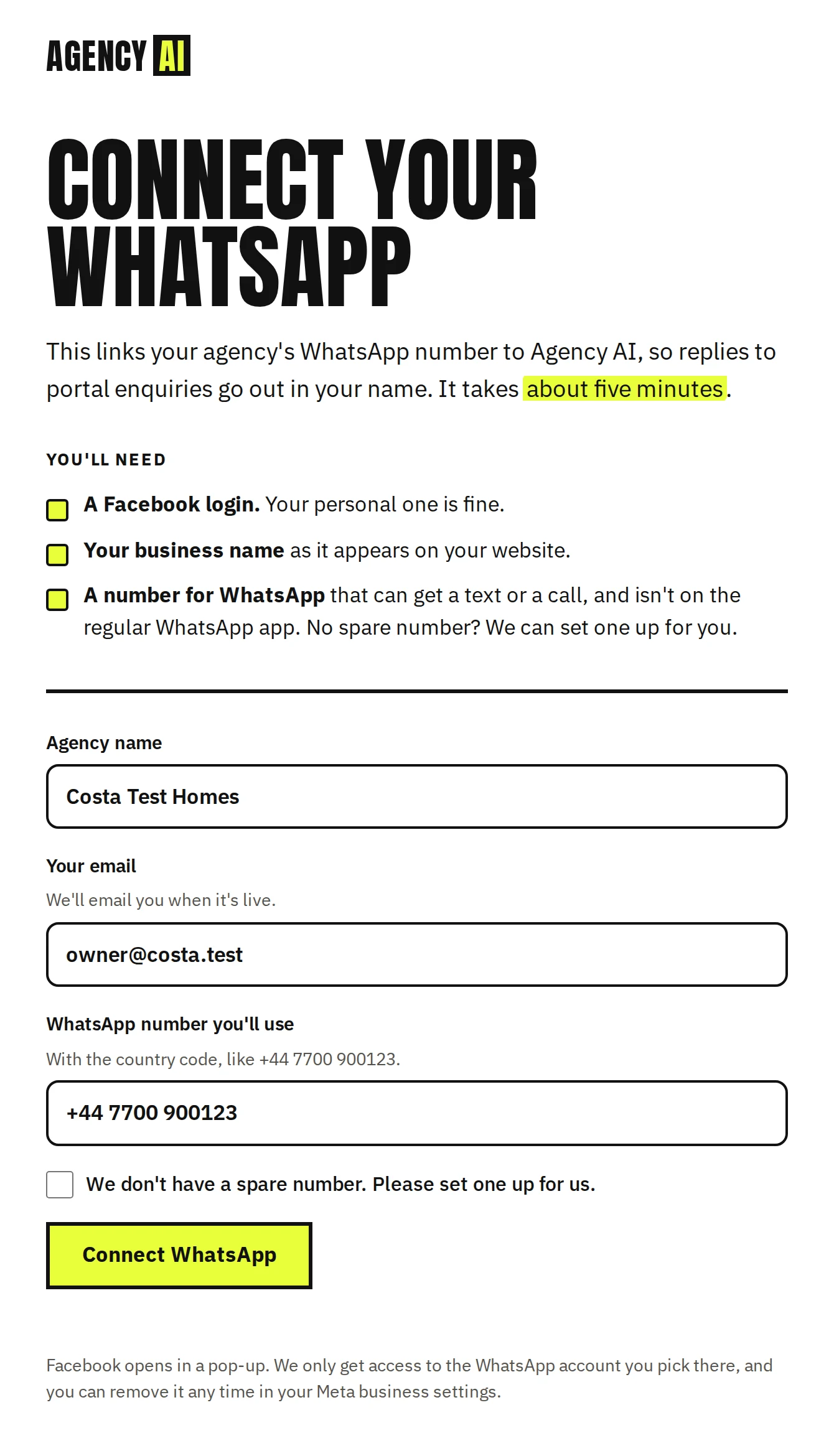
1. Ready to connect
1. Ready to connectThe agency opens the signup link we sent it, adds an email and the WhatsApp number it will use, then clicks Connect WhatsApp. Its name comes from the invite, so the form doesn't ask for it.
Facebook loginBusinessWhatsApp accountNumber + display nameCode by text or call
2. Meta's pop-upMeta's own window, so we can't screenshot it until our app is approved. The agency logs in to Facebook, picks or creates its business and WhatsApp Business account, adds the number and display name, and confirms the number with a code by text or call.
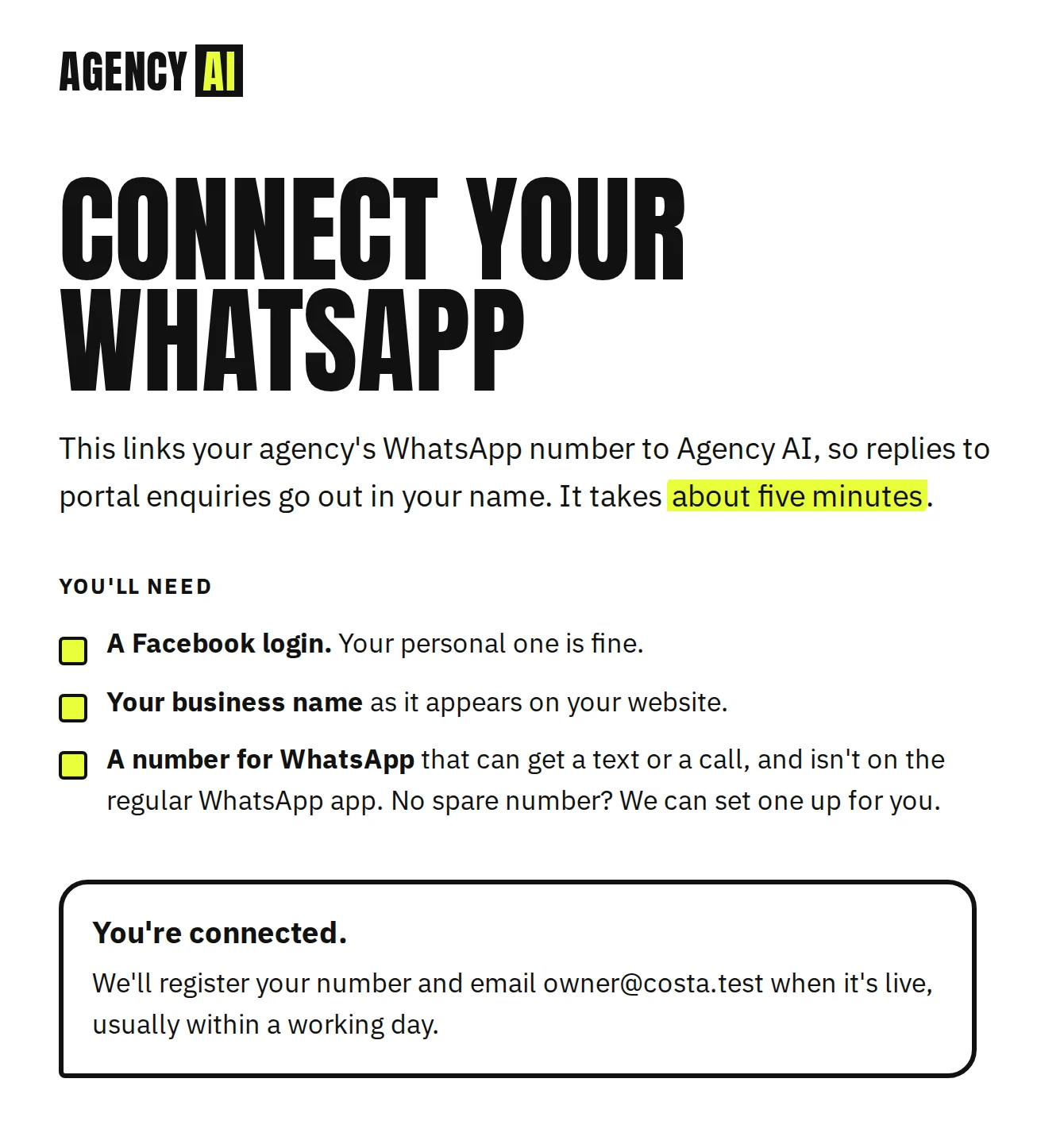
3. Connected
3. ConnectedBack on our page, the form disappears and the agency is told what happens next. Their details are saved privately for the onboarding script.
Or: cancelled in the pop-up
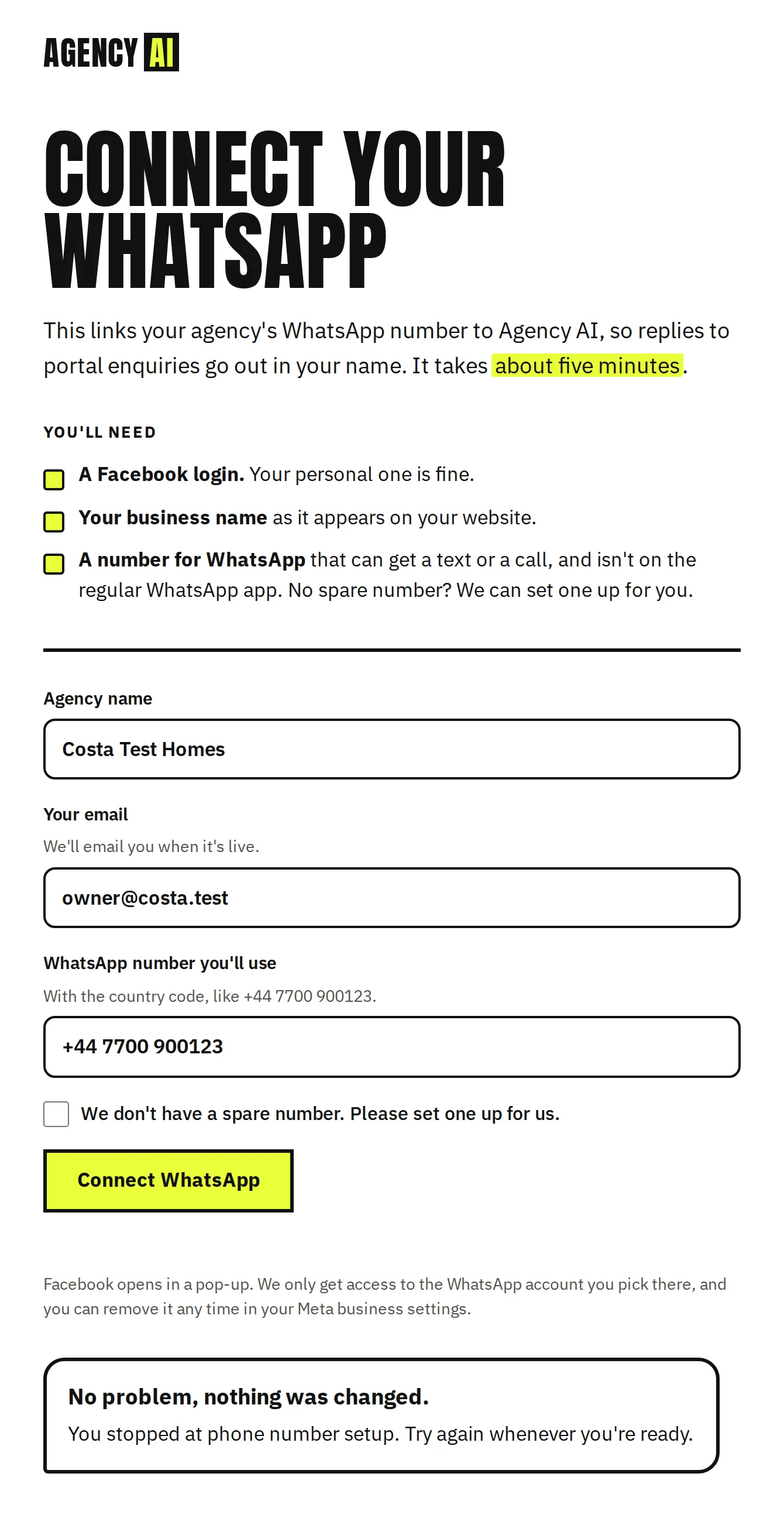
Or: cancelled in the pop-upIf they close Meta's window part-way, nothing is saved, and the page says where they stopped.
Or: an error from Meta
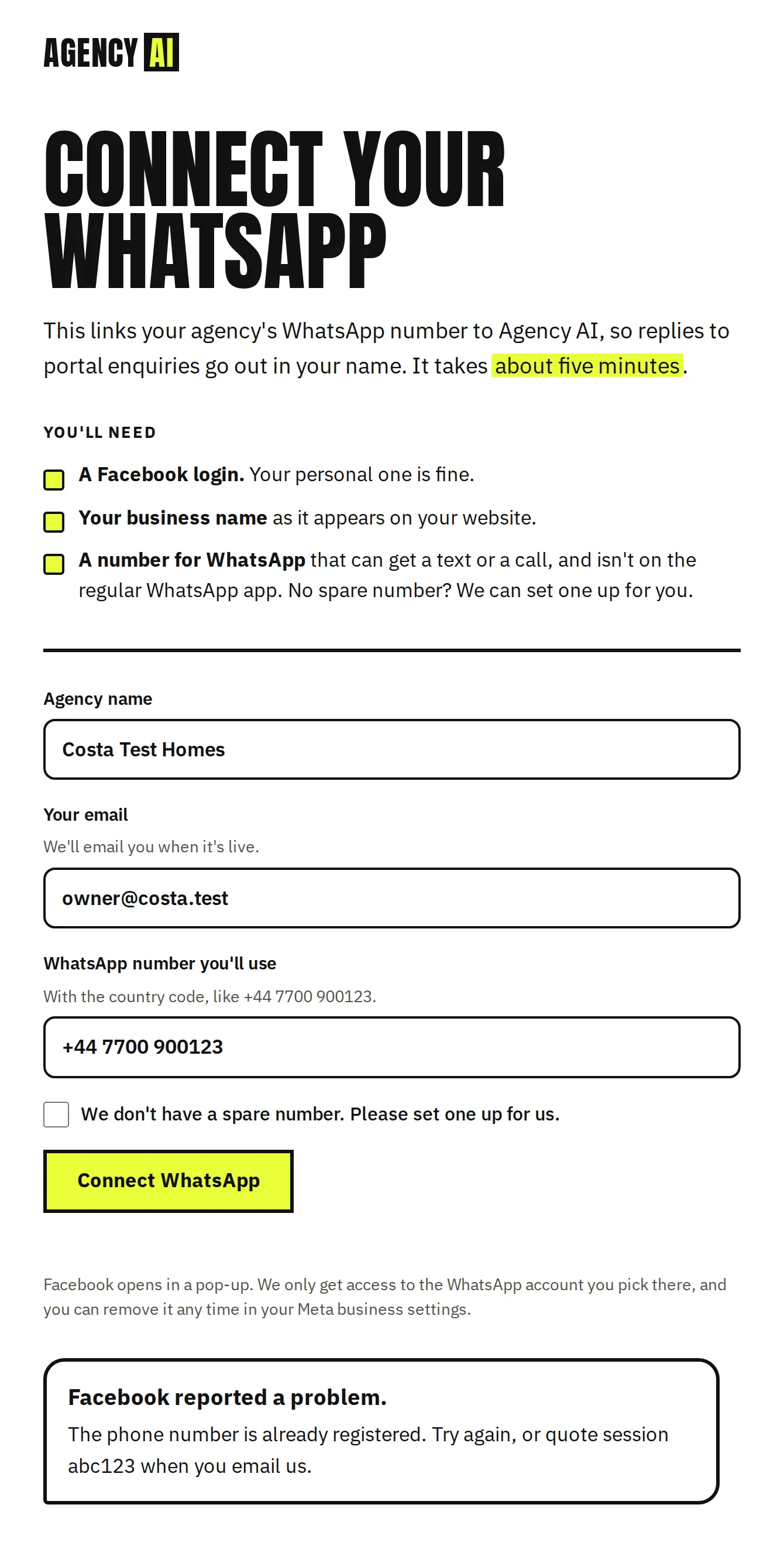
Or: an error from MetaMeta's own error message, plus the session reference to quote if they email us.
Or: our save fails
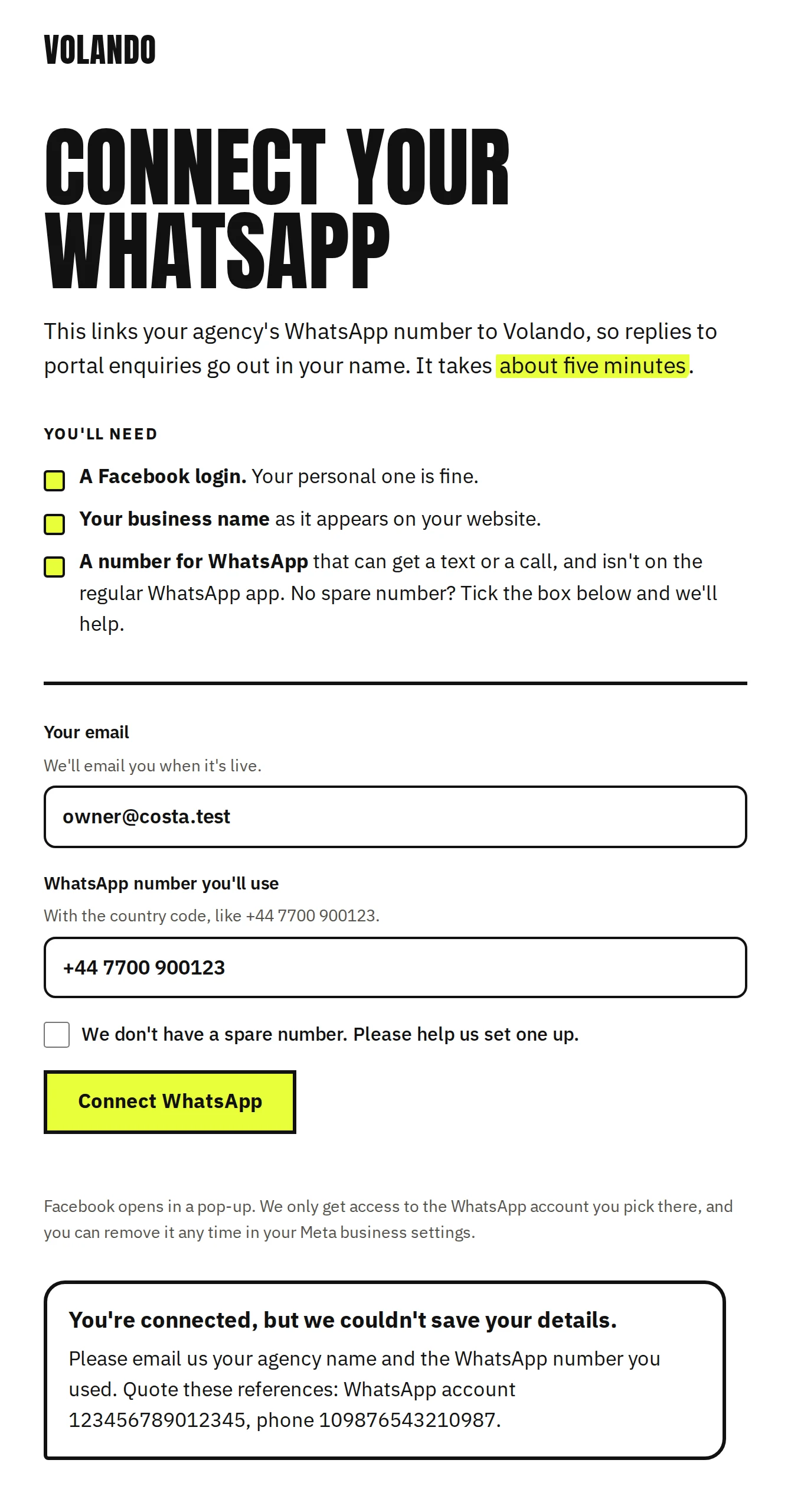
Or: our save failsConnected in Meta, but our server didn't answer. The page retries for about two minutes, then asks the agency to email us and shows the two references to quote.
Or: no spare number
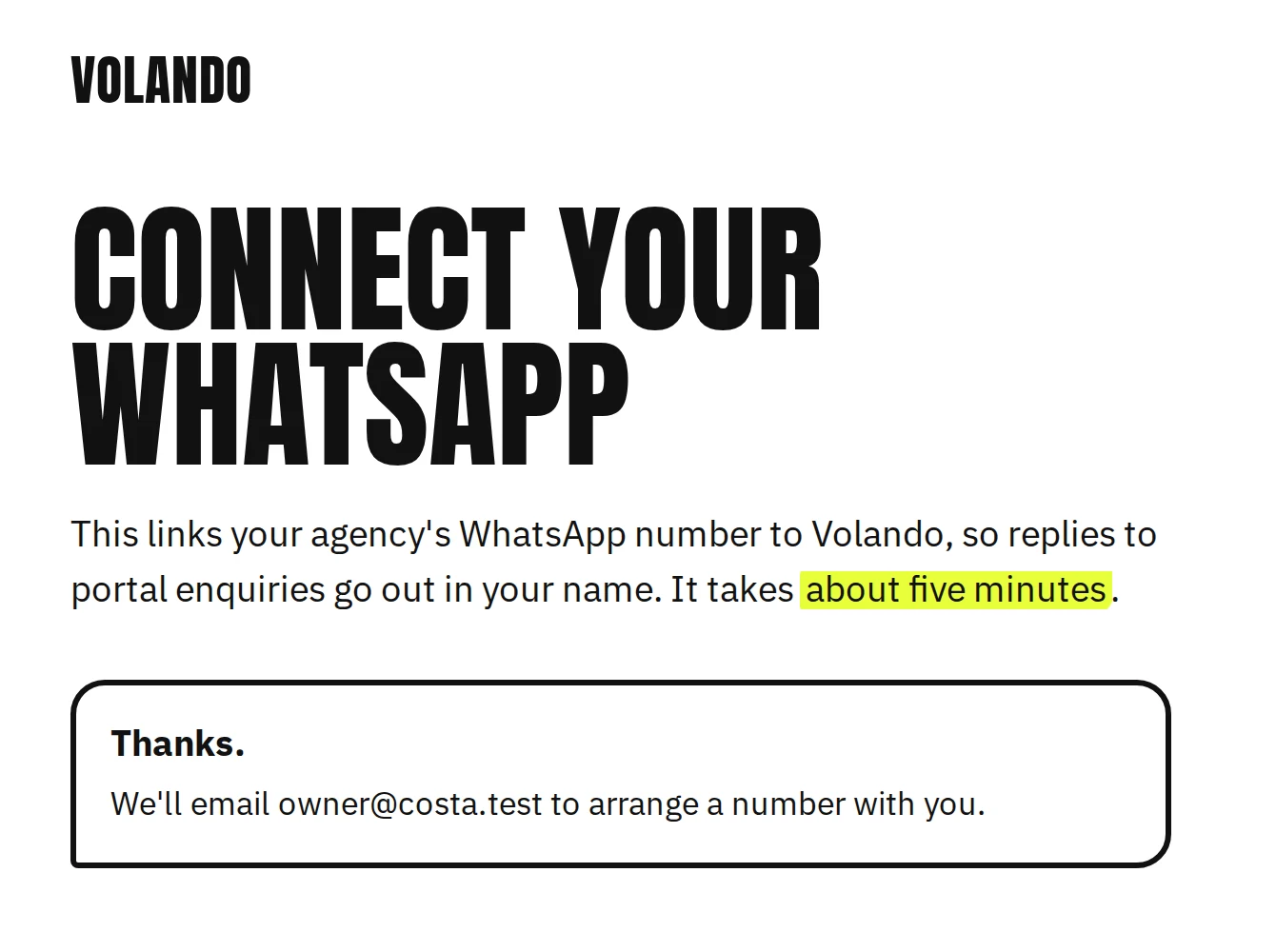
Or: no spare numberThe agency ticks the box and clicks Ask for help. Facebook doesn't open: we get a request, set up a number with them, and they finish with the same link later.
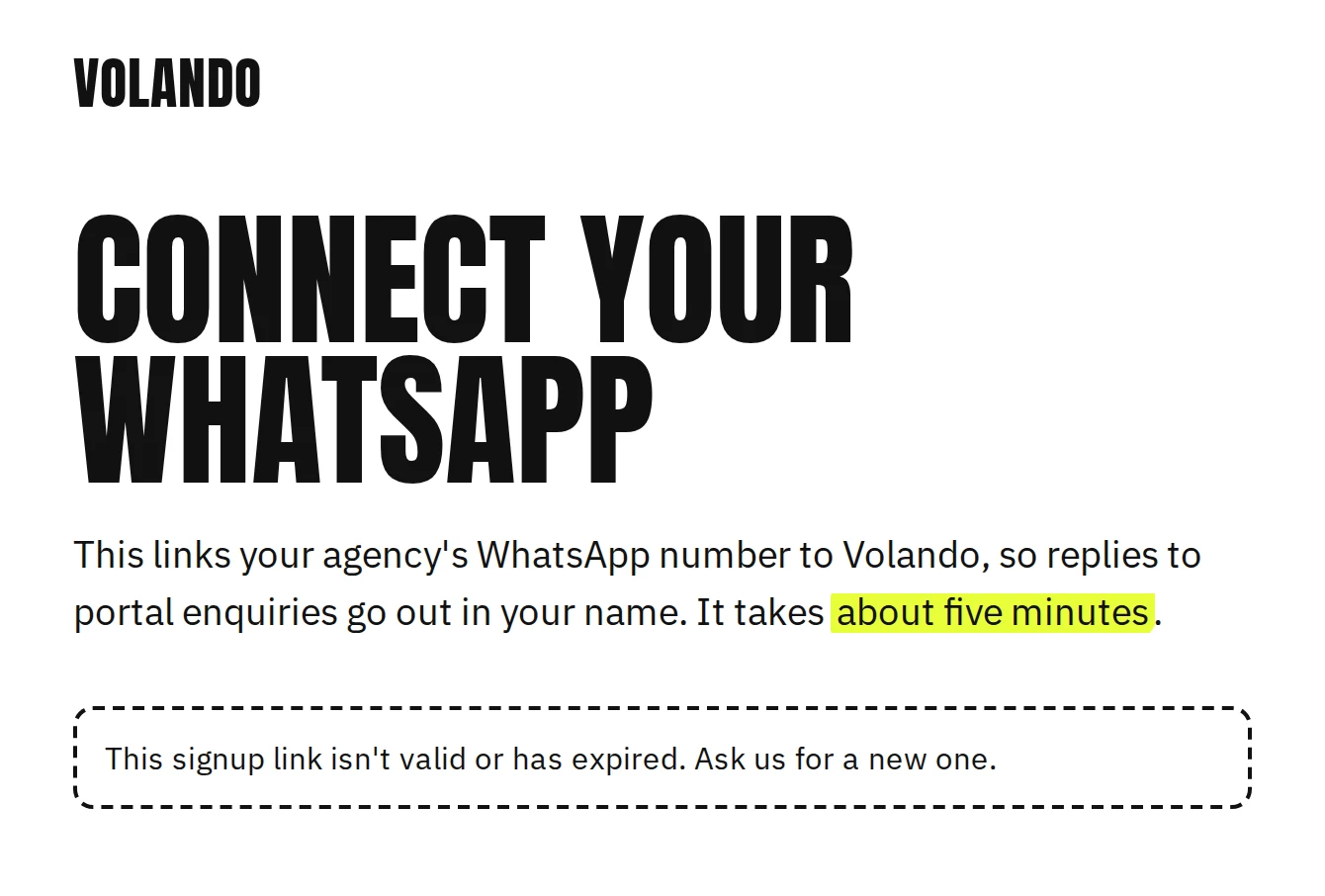
A link that isn't valid
A link that isn't validAn unknown or expired invite. The form doesn't show.
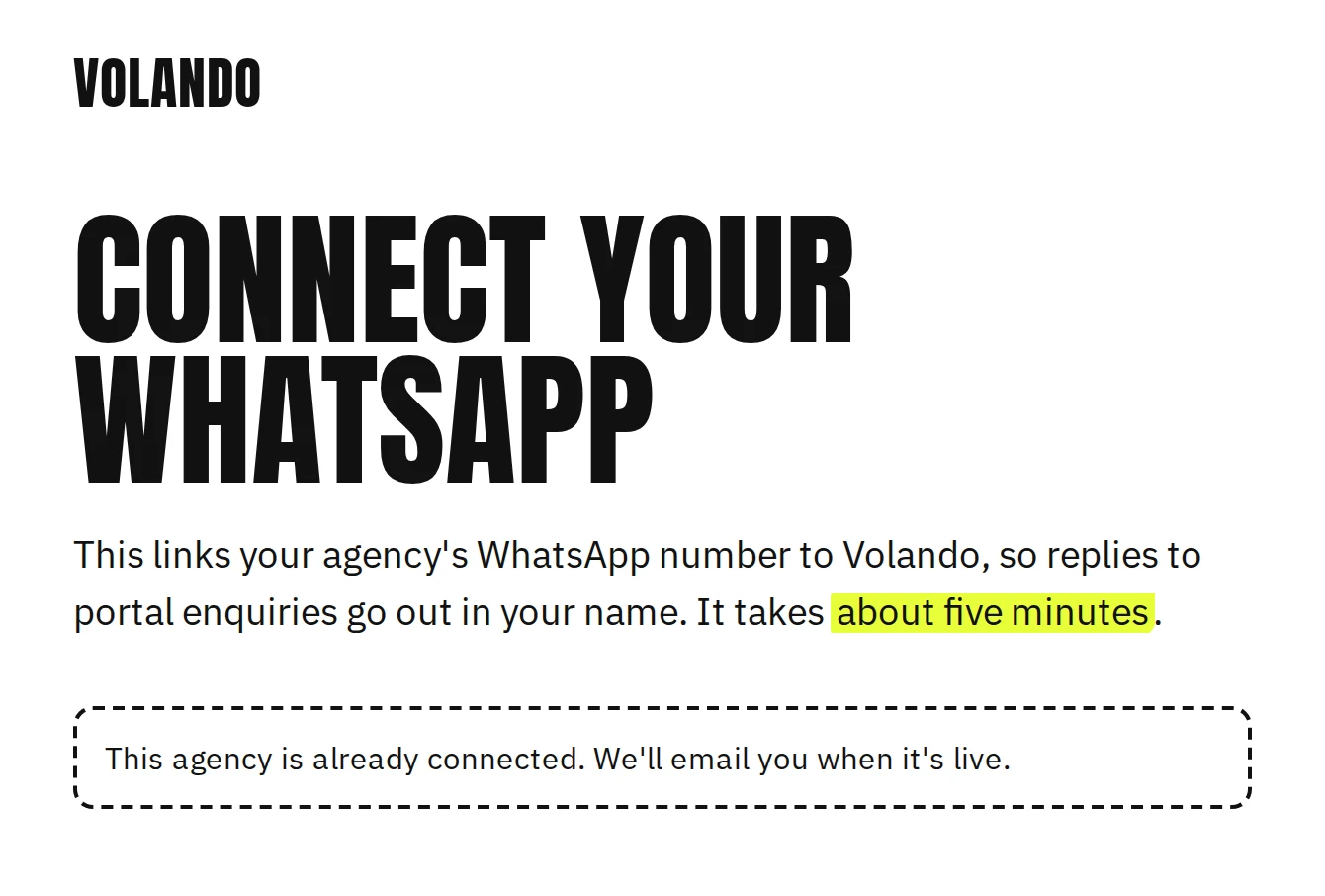
Already connected
Already connectedThe invite's signup is already saved, so the form doesn't show again.
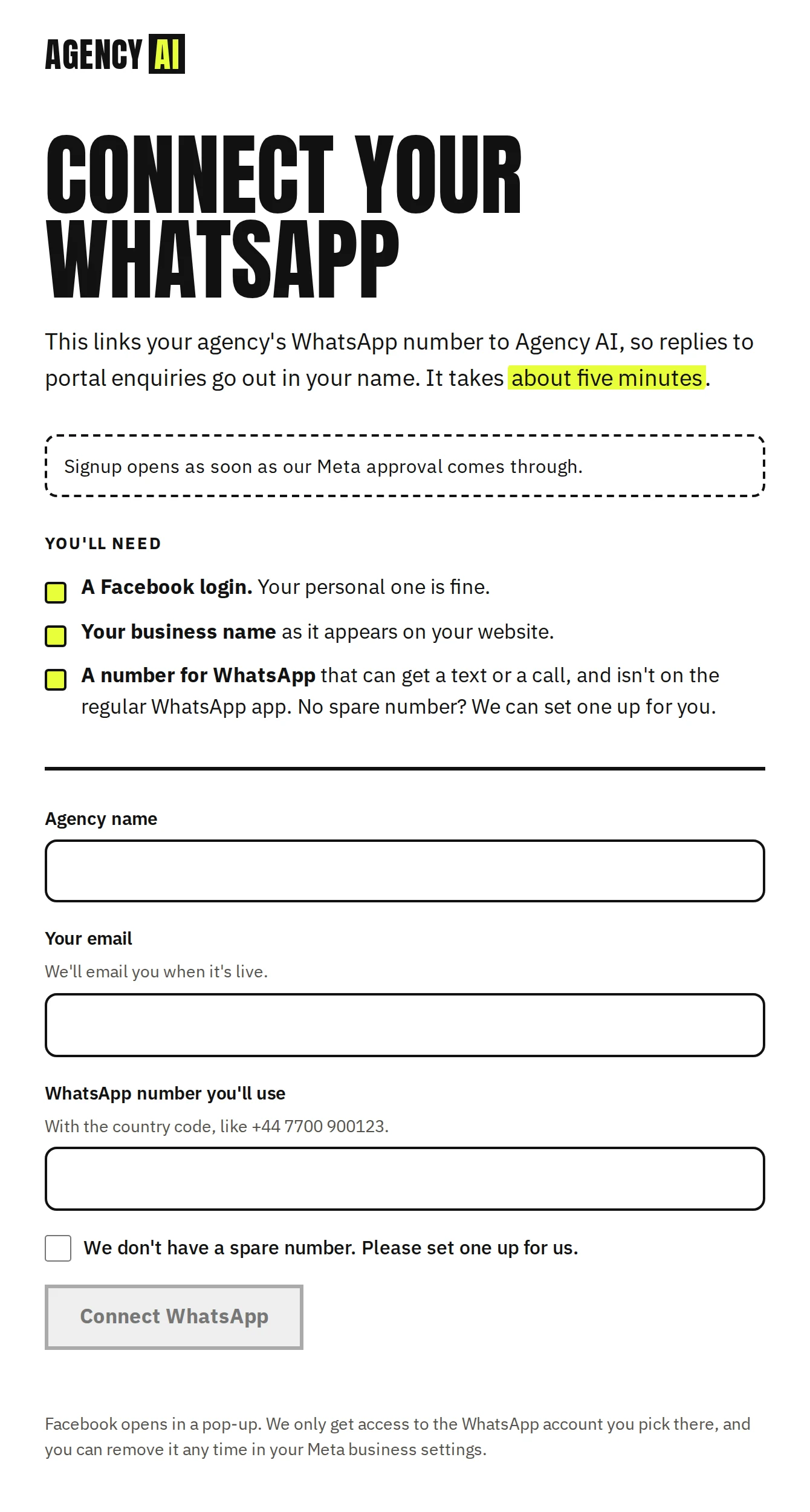
Today: locked
Today: lockedWhat the page shows until Meta approves and the two IDs are configured. The button stays disabled.
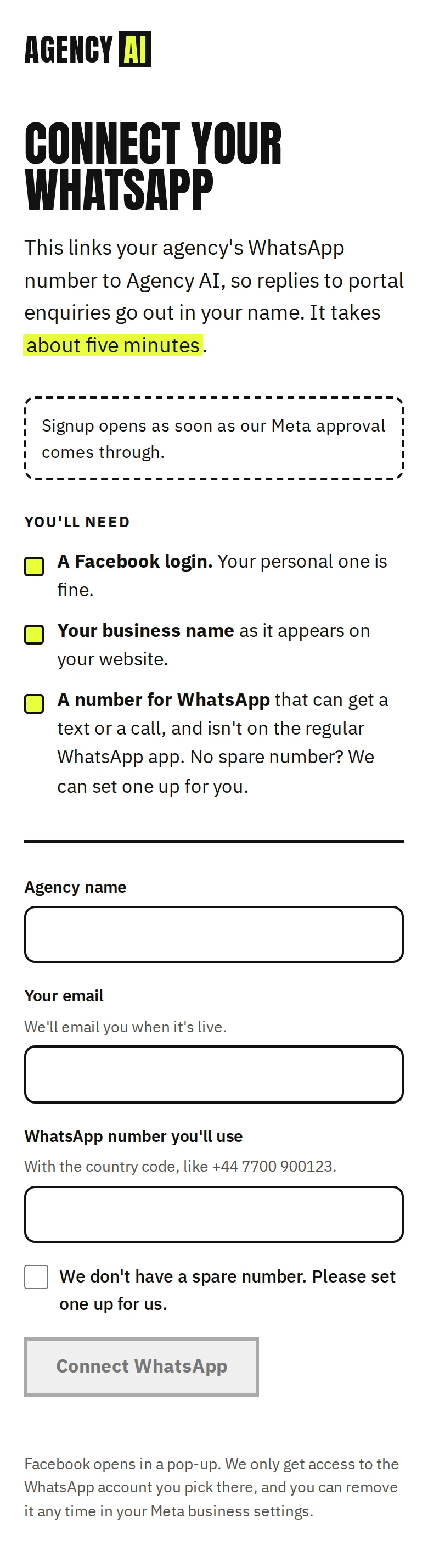
On a phone
On a phoneThe same page at phone width (locked state).