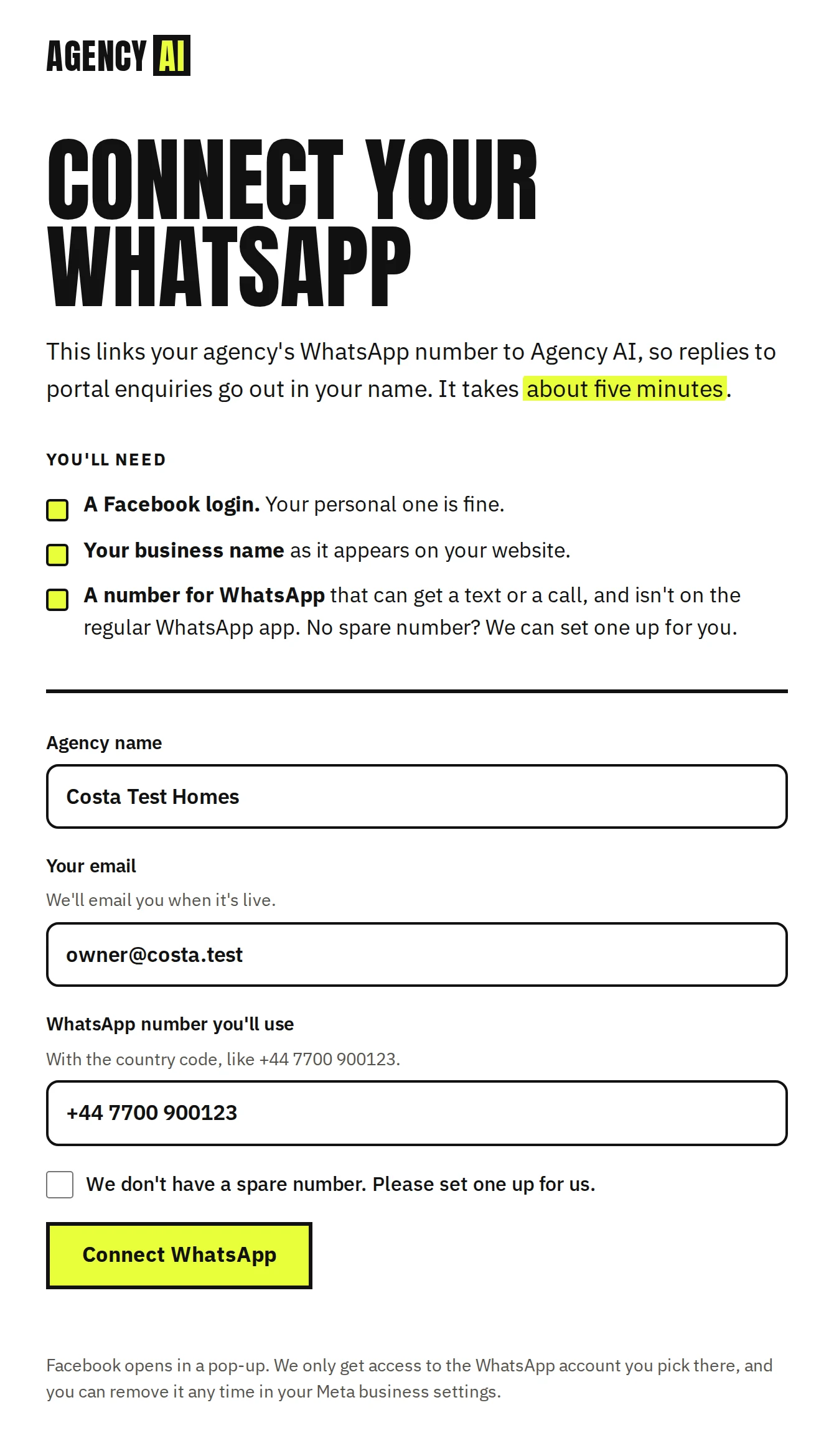
Agency signup page

What an estate agency sees when it connects its WhatsApp to Agency AI. Step 2 is Meta's own pop-up, which we don't control. Example details are made up. Click a picture to see it full size.

Open the page itselfIt's locked, as it will be until Meta approves, so the button does nothing yet. Built 1 Oct 2026 from bot/onboard.html.
1. Ready to connect
1. Ready to connectThe agency fills in its name, an email and the WhatsApp number it will use, then clicks Connect WhatsApp.
Facebook loginBusinessWhatsApp accountNumber + display nameCode by text or call
2. Meta's pop-upMeta's own window, so we can't screenshot it until our app is approved. The agency logs in to Facebook, picks or creates its business and WhatsApp Business account, adds the number and display name, and confirms the number with a code by text or call.
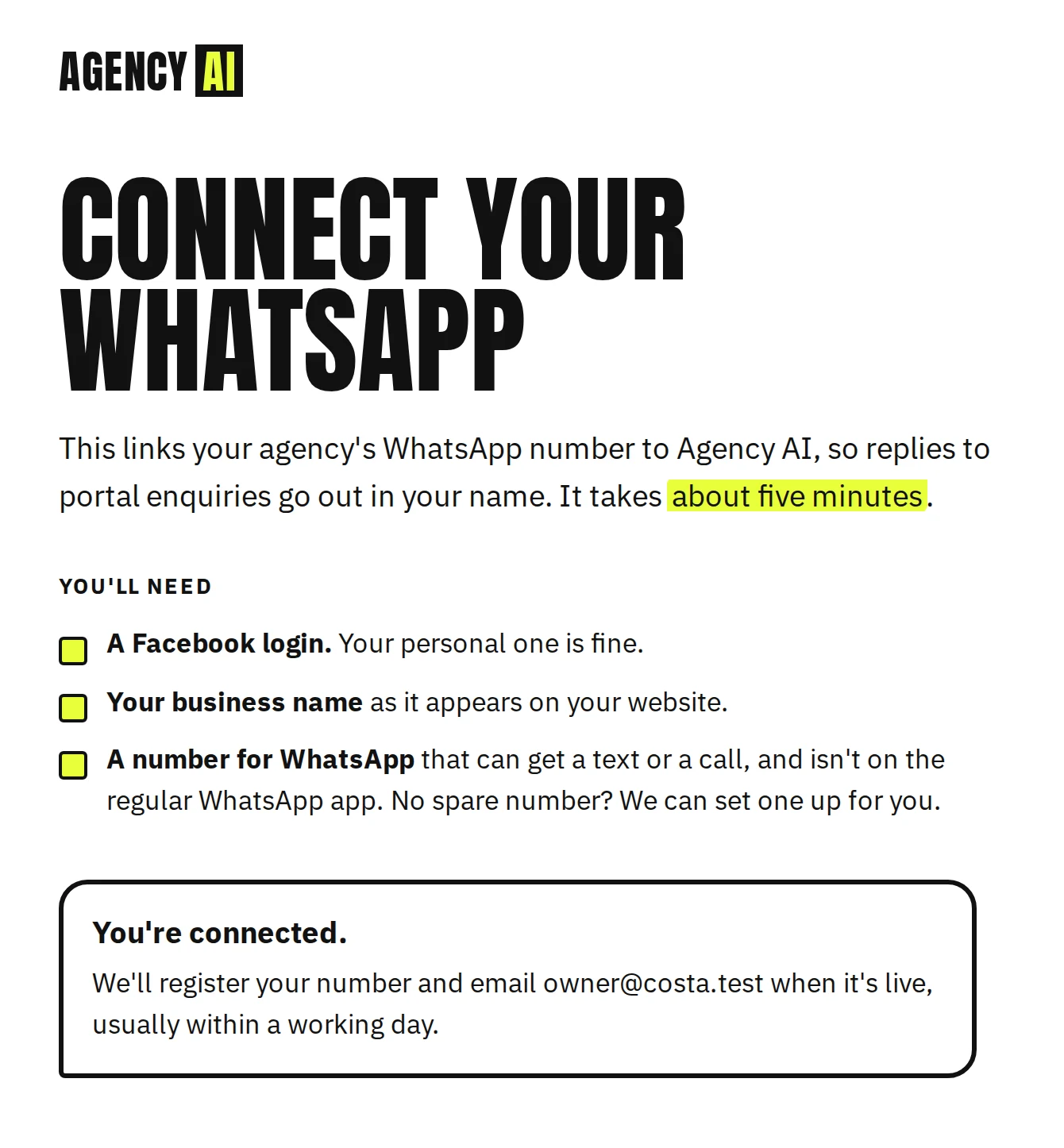
3. Connected
3. ConnectedBack on our page, the form disappears and the agency is told what happens next. Their details are saved privately for the onboarding script.
Or: cancelled in the pop-up
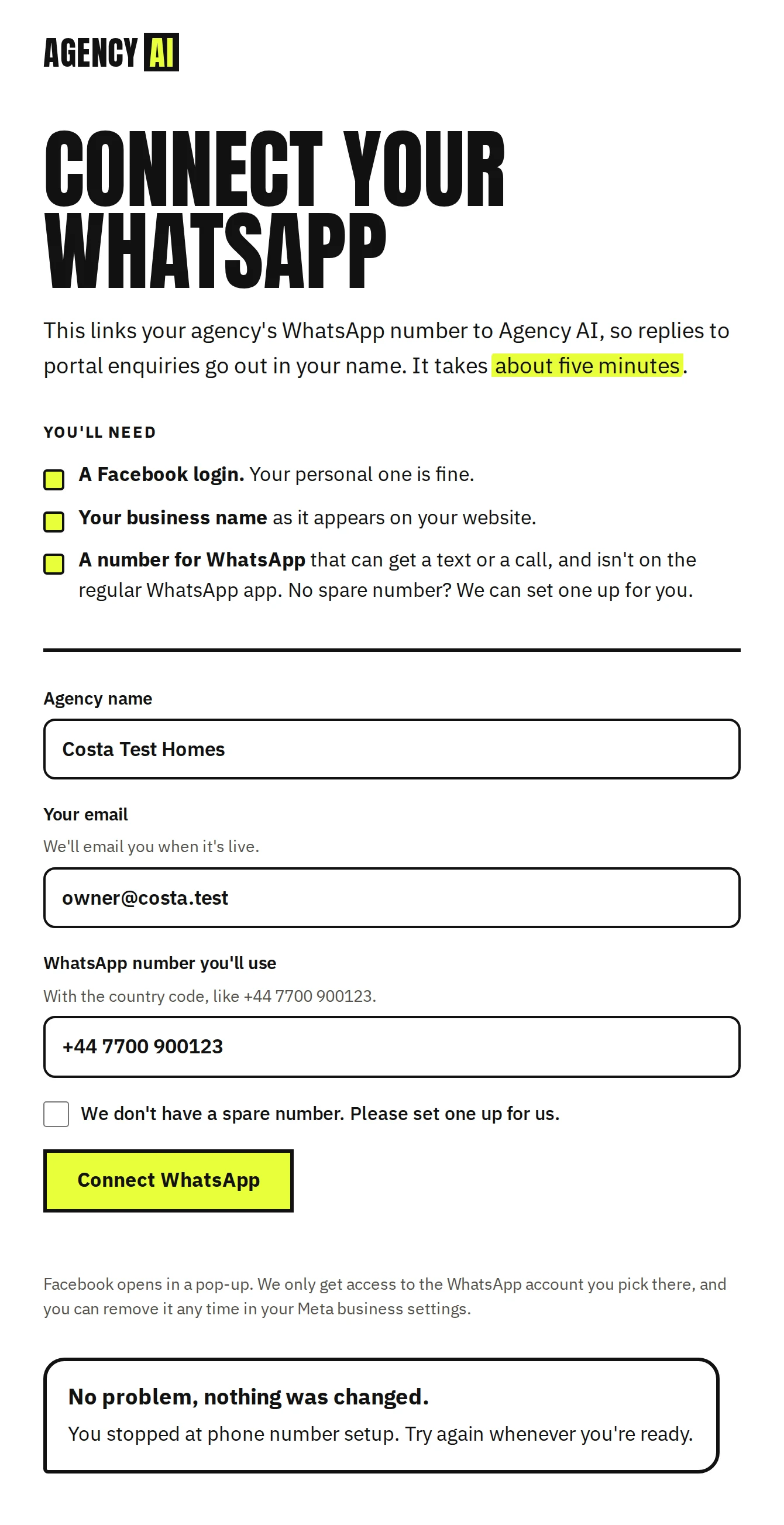
Or: cancelled in the pop-upIf they close Meta's window part-way, nothing is saved, and the page says where they stopped.
Or: an error from Meta
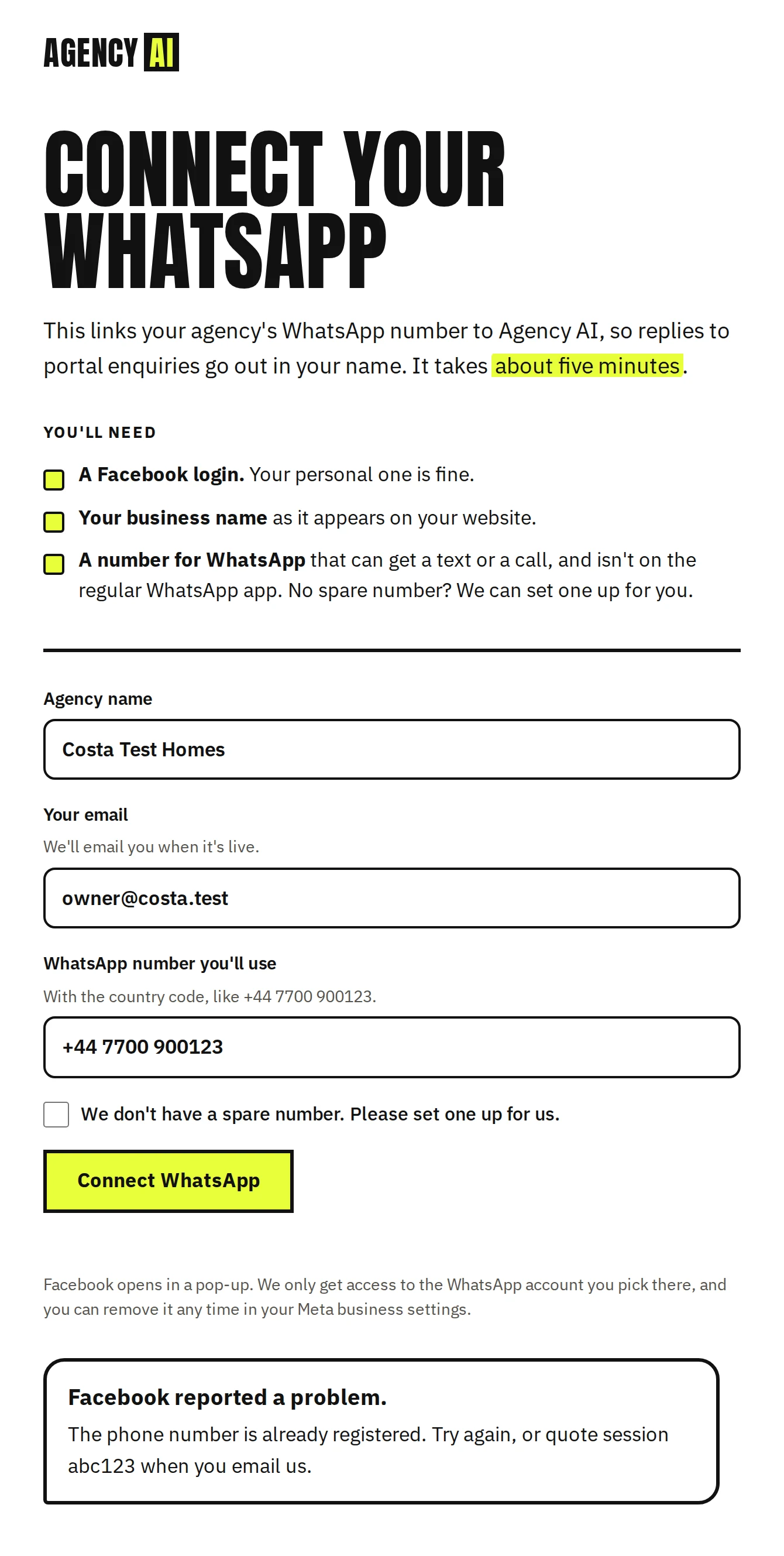
Or: an error from MetaMeta's own error message, plus the session reference to quote if they email us.
Today: locked
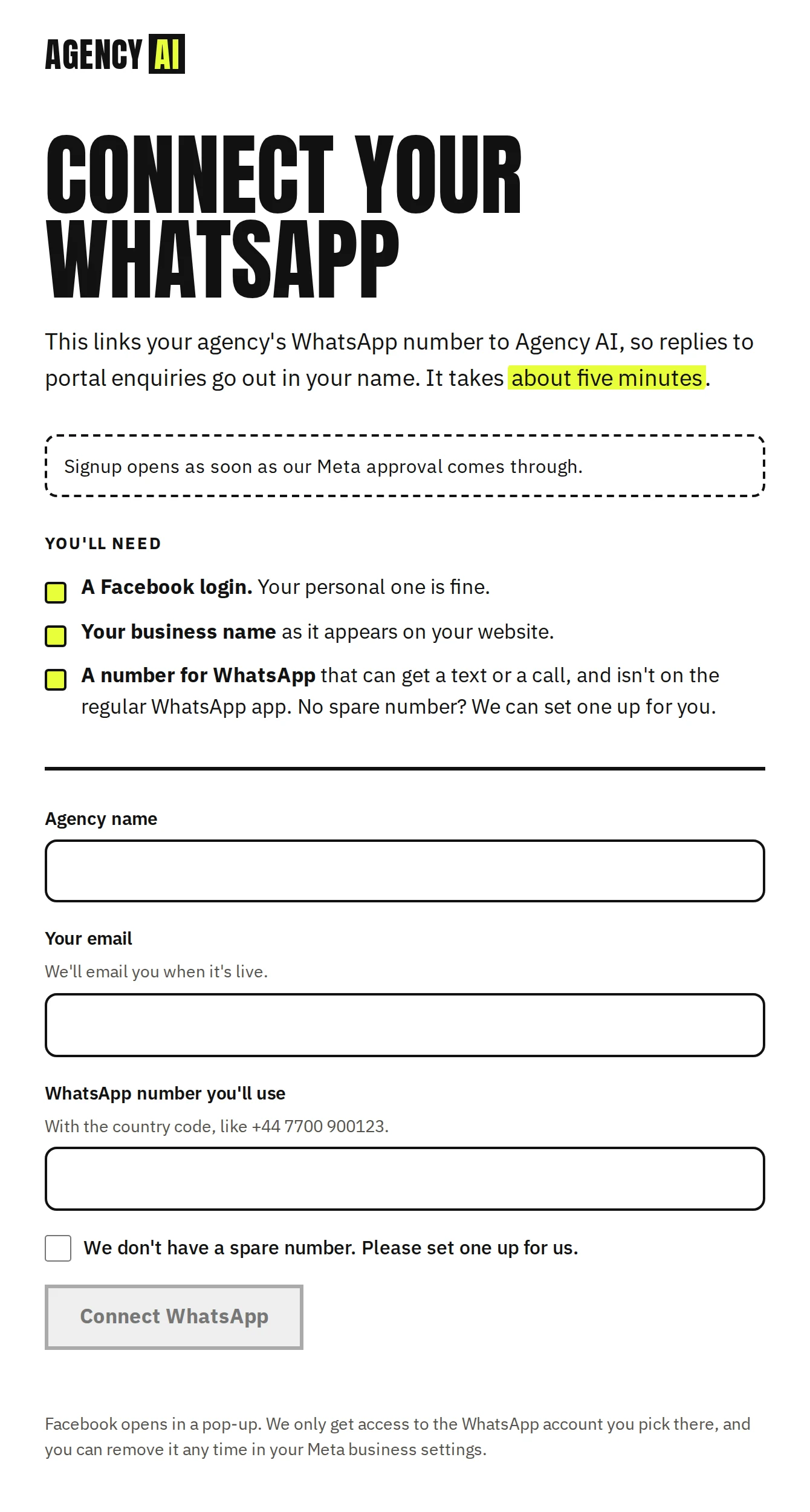
Today: lockedWhat the page shows until Meta approves and the two IDs are configured. The button stays disabled.
On a phone
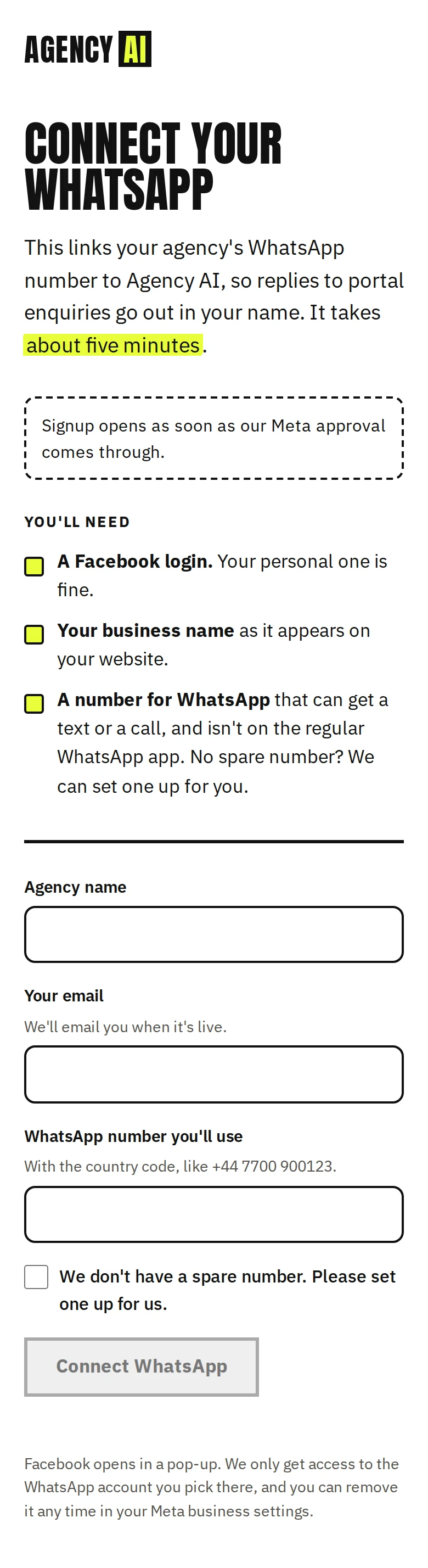
On a phoneThe same page at phone width (locked state).